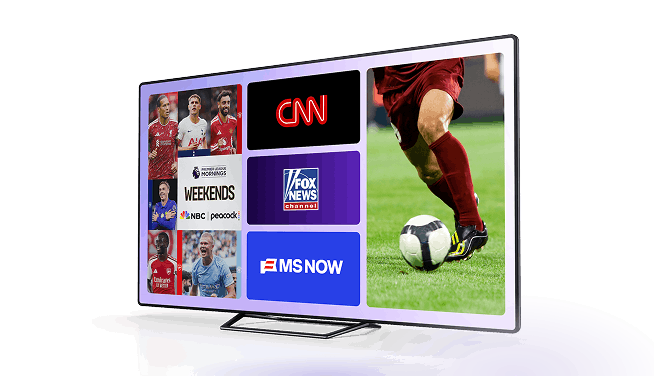
Torn between kick off and tip off? No need to choose between the two halves of your heart. With Xfinity Multiview, you can watch multiple events on one screen. With the ability to view up to four events at once, you can immerse yourself in your favorite sports league or mix it up with different sports and live events. So, if your favorite NFL team is playing during your favorite baseball team’s playoff game or there’s a PGA Tour event you don’t want to miss during NBA finals, use Xfinity Multiview to watch them side-by-side so you don’t have to miss a thing. Here's everything you need to know to get started.
How to watch in Xfinity Multiview
With Xfinity Multiview, Xfinity TV customers can enjoy multiple live events at once on the same screen. Create your Multiview experience from the selection of live sports and special events available in their channel lineup. Access and availability will depend on which channels are included in your Xfinity TV package.
Xfinity Multiview is available to Xfinity TV customers with RealTime4K-compatible devices, including Xi6, XG1v4, XiOne, XiD, and Xi5. Not sure if you have a compatible X1 box? Find out here.
Use any of the following options to access Multiview and start watching:
- Home screen > For You > Featured Apps
- Xfinity TV Sports Zone app
- Voice search, by saying “Multiview” into your Xfinity Voice Remote
Multiview features
Multiview will display the select channels airing live sports and events that are available for you to watch in Multiview. Availability will vary by market and scheduling.
Simple navigation
Navigating Multiview with your Xfinity TV voice remote is easy. After choosing which channels to view, you can navigate between the feeds using the arrows on your remote. For audio, click on the feed you want to hear.
Zoom view
The zoom feature allows you to zoom in on one feed without exiting the Multiview experience. If you do want to exit Multiview, you can easily click in one of the feeds to select the Full Screen option.
Fan view
With eligible RealTime4K Xfinity TV devices, viewers can add up to 4 feeds at once. Alongside Multiview, viewers can access Fan View. Fan View features live scores, odds and stats— all in one place.
Viewers with eligible 2K Xfinity TV devices (XiD and Xi5) may experience longer load times when launching a 3- or 4-feed Multiview. But, Xfinity TV customers can upgrade equipment to an RealTime4K device at no cost by following on-screen prompts during this experience.
Wide selection of live sports and special events
Multiview will offer select games, events, and content from:
Check back here for more updates on what’s to come for Multiview.