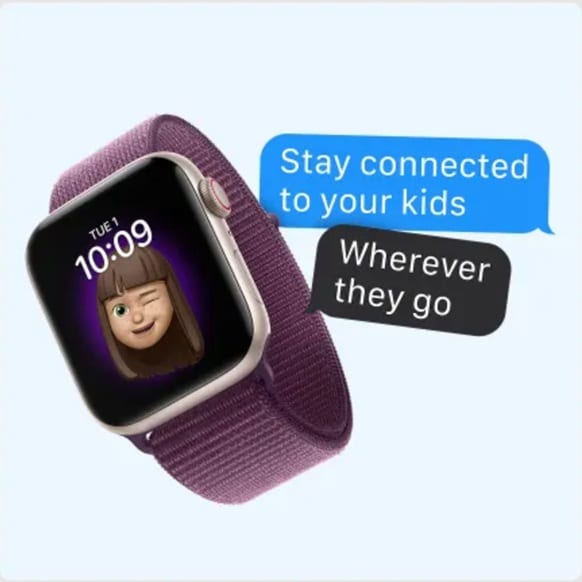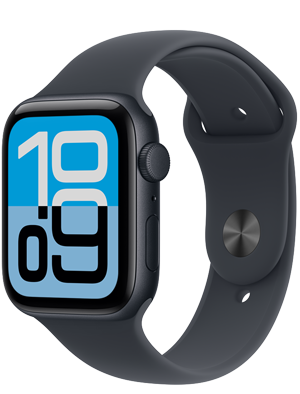
Now available from Xfinity Mobile, Apple Watch for Your Kids offers a connected, cellular experience designed specifically for children without requiring them to have their own iPhone. Staying connected as a family looks different today than it did just a few years ago. Parents seek reliable ways to stay connected with their kids as they grow and seek more independence. With Apple Watch for Your Kids, families get a simple, flexible way to stay in touch, keep track of daily routines, and introduce kids to connected technology in an age-appropriate way.
Using Apple Watch for Your Kids with Xfinity Mobile
Apple Watch for Your Kids (formerly known as Family Setup) allows a child to use a cellular Apple Watch as their own connected device without a companion iPhone. Parents set up the Apple Watch for their child and manage it directly from their own iPhone.1 Once the watch is activated with Xfinity Mobile, kids can use their Apple Watch to do things like make phone calls, send messages, and share their location with parents.
What you need to get started
Getting set up is straightforward for families already in the Apple ecosystem. You’ll need:
- A compatible, cellular Apple Watch — including Apple Watch Series 4 or later or Apple Watch SE with cellular, running watchOS 7 or later
- An iPhone 6s or later running iOS 14 or later for the initial watch setup
- An Apple Account for yourself and one for the family member who will use the Apple Watch.
- A Family Sharing group that includes the person who will be using the Apple Watch. You will need to have the role of organizer or parent/guardian to set up an Apple Watch for a family member.
- An active Xfinity Mobile line on your plan designated for the Apple Watch
After setup, the parent’s iPhone becomes the control center for Apple Watch for Your Kids—used for managing contacts, permissions, schedules, watch settings, and more. From a network perspective, the watch functions as its own mobile line with Xfinity Mobile, enabling reliable calling, messaging, and location sharing.
Family-friendly features for kids and parents
Apple Watch for Your Kids offers features that help to keep connectivity and communication simple and reliable for families. Kids get to stay connected with a device that’s easy to use and fits their day-to-day lives, while parents get tools that make it easier to stay in touch and manage kids’ safety. Features include:
Easy communication with parent-approved contacts
Kids can call or text directly from their wrist using voice dictation or on-screen messages, making it easy to check in throughout the day. And because the watch uses cellular connectivity through Xfinity Mobile, those messages and calls don’t rely on nearby WiFi or a paired phone.
Parents approve the contacts their child can interact with, helping ensure that calls and messages stay within a trusted circle.
Location awareness and built-in peace of mind
With location sharing through the Find My app, parents can see where their child is and receive alerts when they arrive at or leave specific places, like school or home. If the watch is ever misplaced, it can be located or pinged remotely from the parent’s device.
Safety features like Emergency SOS add another layer of reassurance. With just a few taps, a child can quickly connect to emergency services using the cellular network.2
Schooltime and smart boundaries during the day
Apple Watch for Your Kids includes Schooltime, a feature designed to help minimize distractions during class hours. When enabled, notifications and apps are restricted, and Do Not Disturb is automatically turned on. Parents can schedule Schooltime so it activates automatically during school hours and turns off afterward.
This balance allows kids to stay reachable for important communication while maintaining focus during the school day.
Activity, fitness, and healthy habits for kids
Beyond connectivity, Apple Watch encourages kids to stay active. Activity rings are tailored specifically for younger users, offering personalized movement goals and colorful progress updates that make fitness feel engaging rather than overwhelming.
Built-in workouts — like Outdoor Walk, Run, and Cycle — are tuned to give kids appropriate credit for their activity levels, whether they’re playing sports, dancing, or just moving throughout the day. Kids can even share activity progress with family members for a fun sense of accountability and encouragement.
Entertainment, apps, and everyday convenience
With parental approval, kids can access thousands of apps from the App Store, along with music, podcasts, and audiobooks synced to their watch. Siri also provides a safe, voice-first way to ask questions, set reminders, or send messages hands-free.
Features like Apple Cash can be enabled for family members under 18, allowing parents to securely send allowances or spending money while maintaining oversight.3
Durable, kid-friendly, and built for real life
Apple Watch is designed to keep up with active lifestyles. With durable materials, crack-resistant displays, and water resistance up to 50 meters, it’s built for everything from playground time to swim practice.4 Bands are available in a wide range of sizes, colors, and materials, making it easy to find the right fit for smaller wrists and all-day wear.
Your child’s first connected device, powered by Xfinity Mobile
For many families, Apple Watch for Your Kids offers a manageable first step into connected devices. Instead of jumping straight to a smartphone, kids get essential communication, safety features, and independence — all supported by the reliability of the Xfinity Mobile network and managed entirely by parents.
The result is a more balanced approach to connectivity: independence for kids, visibility for parents, and a flexible, family-focused experience designed to fit naturally into everyday life.
Stay connected with fast, reliable nationwide 5G
Xfinity Mobile offers the best coverage with 5G and millions of secure WiFi hotspots. New members can choose between Mobile Select and Mobile Plus plans with exclusive features and savings.
Both Mobile Select and Mobile Plus plans offer:
- Unlimited talk, text, and data in the US with no data caps
- International plan with unlimited talk, text, and data for travel in 215+ destinations
- Instant connection to 20+ million WiFi hotspots
- Automatic speed boosts on WiFi, so you’re always getting the fastest connection available
Looking for more perks? Our Mobile Plus plan offers:
- 4K video streaming
- Xfinity Mobile Care Plus which offers device protection for life
- Phone upgrades every year with a guaranteed device discount
- Spam call protection with Xfinity Call Guard
Thinking about switching? Save by bundling Xfinity Internet and Mobile
By combining your Xfinity Internet and Xfinity Mobile services, you cut your monthly mobile bill in half. Plus, new Mobile members can try Mobile Select wireless for a full year, allowing you to try Xfinity Mobile on your own device with no risk or commitment.
Learn more about our unlimited mobile plans.
Bringing your own device? It's easier than ever with eSIM. Now you can bring the phone you want to Xfinity Mobile if it’s eSIM-compatible. Don't have eSIM? Order a free SIM card and easily make the switch from home. Learn more about how to Bring Your Own Device.
Save with Xfintity Mobile's All-In Tablet & Watch Plan
Get the fastest mobile service with 5G and millions of hotspots for your watch. Just $10/mo per smartwatch line. If your household has lots of tech, you’ll save with our All-In Tablet & Watch Plan, included with our latest mobile plans. Connect up to 10 cellular tablets and watches for $35/mo (excludes taxes and fees). Get unlimited data for all your devices without worrying about your monthly bill growing with every new iPad or watch you add. Only with Xfinity Mobile.
Learn more about our smartwatch plans.