From the early days of standard definition to today’s ultra-crisp visuals, TV technology keeps raising the bar. Most people are familiar with HD (high definition) and 4K TVs—but there’s a newer step forward that’s gaining steam: RealTime4K.
A quick refresher: HD vs. 4K
High Definition, or HD, was the first major leap forward from the grainy, standard-definition broadcasts of the past. With HD came sharper detail and clearer images, typically offering a resolution of 1920 x 1080 pixels.
Then came 4K Ultra HD, which upped the ante with roughly four times the pixel count of HD—3840 x 2160 pixels. The result? Sharper textures, finer details, and a more lifelike image overall. It became the standard for premium TVs and streaming content.
What is RealTime4K?
RealTime4K takes traditional 4K and makes it even better. It’s not just about resolution—it’s about how those pixels perform. RealTime4K is also 3,840 by 2160 pixels, but it offers higher bitrates than traditional 4K. These higher bitrates offer even better picture quality while reducing buffering times. The result is an overall smoother, ‘enhanced’ experience.
How to start watching in RealTime4K
If you spend a lot of time watching movies, live sports, or streaming content, the upgrade is absolutely worth it. Here’s why:
- Visually stunning clarity: Every detail stands out, from subtle textures to vibrant color contrasts.
- Future-ready performance: As more streaming services and broadcasts adopt 4K HDR content, you’ll be ready to enjoy it in full quality.
- Smarter processing: 4K-capable TVs often include advanced processors and AI picture optimization, which automatically fine-tune settings based on the content type and room lighting.
- Better sound integration: Many 4K-capable models pair improved visuals with Dolby Atmos or similar audio technologies, for a more immersive experience.
Watching 4K and RealTime4K content with Xfinity TV
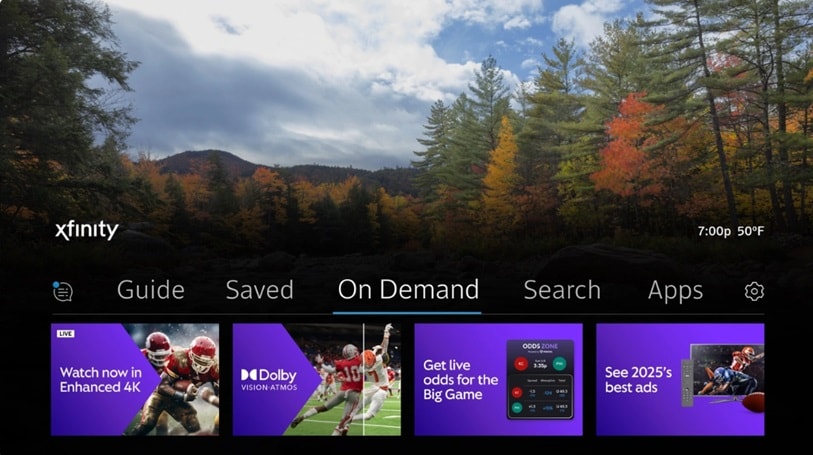
To watch 4K programming with Xfinity TV, you’ll need one of the Xfinity 4K HDR set top boxes: XG1v4, Xi6, or XiOne. (You’ll also need a 4K TV and 4K-capable HDMI cord to watch 4K programming.) Xi6 and XG1v4 set top boxes—as well as the Xfinity Stream app—support RealTime4K with Dolby Atmos. Xi6 devices also support Dolby Vision. Say “4K” into your Xfinity voice remote to get to a RealTime4K landing page that displays all available 4K programming. Not sure which set top box you have? Find out here.
Xfinity TV and Xumo Stream Box automatically default to the highest video output resolution possible for your TV, including RealTime4K. To confirm your box is set to 2160 resolution, say “device settings” into your voice remote and from there, select “video display.” When you watch On Demand content that's available in 4K, playback will automatically default to the appropriate 4K color depth based on your TV’s capabilities.
Experience live sports like never before
RealTime4K revolutionizes the experience of watching live sports on TV. Xfinity TV customers will get a viewing experience they can’t get anywhere else for some of the sports world’s biggest events, including national NFL games, NCAA March Madness, PGA Tour events, and more.
Xfinity combines RealTime4K with Dolby Vision HDR, Dolby Atmos audio, and ultra-low latency to deliver the fastest, most immersive live sports viewing experience. Every touchdown, every layup, and every tee shot will look and sound stunning in your living room—the next best thing to actually being there.
Find live sports and events available in RealTime4K quickly by saying “4K” into your Xfinity TV Voice Remote. Not sure if you have a compatible 4K TV box? Check your set top box compatibility here.
For more information on RealTime4K, visit the FAQ page here.