Finding the right smartphone can make a world of difference for seniors, providing convenience, safety, and connection to loved ones. The best phones for seniors balance user-friendly design with powerful features like long battery life and location tracking for added safety. With the right combination of features, an Android smartphone can be a powerful tool for helping seniors to stay connected, safe, and confident in the digital age.
Top features to look for in Android phones for seniors
When choosing a senior-friendly Android phone, certain features stand out as especially important for ease of use and comfort. Here are the key things to look for—and why they matter.
Large, Bright Screen
A generously sized, high-brightness display makes it easier for seniors to see text, photos, and apps without straining their eyes. Phones with at least a 6-inch screen and strong brightness levels (500 nits or more) ensure visibility even in bright daylight, making reading and navigation more comfortable and enjoyable.
Intuitive Interface
A clean, easy-to-navigate interface is essential for avoiding confusion and frustration. Phones that offer customizable home screens, larger icons, and simple menu layouts—like Samsung’s Easy Mode or Android’s built-in accessibility options—help make everyday tasks like calling or texting effortless.
Long Battery Life
Nobody wants to worry about their phone dying halfway through the day. Seniors benefit from devices with long-lasting batteries that can go a full day or more on a single charge, reducing the hassle of frequent charging and offering peace of mind during travel or emergencies.
Hearing Aid Compatibility
Phones that are rated for hearing aid compatibility (look for “M3/T3” or higher) provide clearer sound and minimize audio interference. This feature ensures that seniors using hearing aids can enjoy clear phone calls, video chats, and media without background noise or distortion.
Emergency Features
Built-in emergency tools—like SOS call functions, fall detection, or one-touch emergency alerts—can be lifesaving. Many Android phones allow users to set emergency contacts, share location automatically, or access medical information from the lock screen, offering reassurance for both seniors and their families.
Voice Commands and Assistance
Hands-free voice control with Google Assistant makes using an Android phone easier than ever. Seniors can place calls, send messages, check the weather, or set reminders using simple voice commands, reducing the need for precise tapping or typing on small screens.
Accessibility Settings
Android’s robust accessibility settings allow for personalized adjustments to match individual needs—like increasing text size, using magnification, enabling captions, or adding screen readers. These settings empower seniors to tailor their devices for maximum comfort, independence, and usability.
Recommended Android phones for seniors
Xfinity Mobile offers a wide selection of mobile phones and devices, including the latest Android phones. Here are a few Android phones we recommend for seniors:
Samsung phones
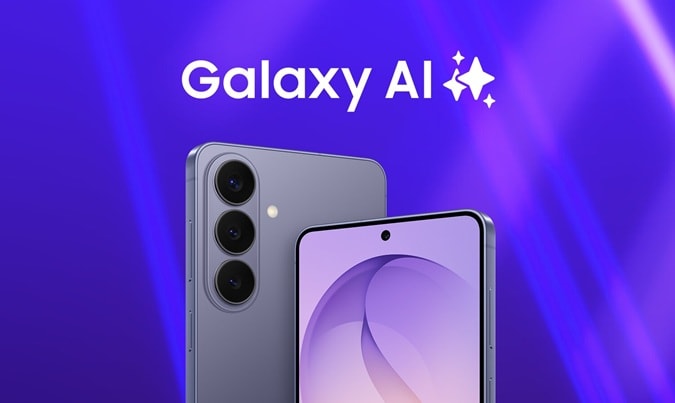
Galaxy S25 Ultra: Equipped with a 5,000mAh battery, the Galaxy S25 Ultra offers extended usage and a long battery life, reducing the need for frequent charging. This is particularly convenient for seniors who may forget to charge their devices regularly.1
Galaxy Z Fold8
- Samsung's lightest Fold yet at just 201g, featuring a versatile cover screen and immersive main display for reading, gaming, streaming, and multitasking.
- Brighter, more durable display with up to 3,000 nits of brightness, Vision Booster, low-reflection technology, and Flex Titanium construction.
- Elite performance powered by the Snapdragon® 8 Elite Gen 5 Mobile Platform for Galaxy and a long-lasting 4,800mAh battery.
- Advanced camera system with dual 50MP cameras, Dual Recording, and My FanCam for effortless, social-ready content creation.
Shop the latest Samsung deals from Xfinity Mobile.
Google phones
Google Pixel 10: Integrated seamlessly with Google Assistant, Pixel 10 enables seniors to perform tasks easily using simple voice commands. This hands-free functionality reduces the need for complex manual input, making the device more accessible for users with limited dexterity. Plus, it offers an impressive battery life, lasting up to two days.2
Google Pixel 10 Pro Fold: Pixel 10 Pro Fold offers a dual-screen mode for Live Transcribe, allowing both speakers in a conversation to see real-time transcriptions on separate screens. This feature enhances communication, especially for seniors with hearing impairments.
Shop the latest Google Pixel deals from Xfinity Mobile.
Get an Android phone with Xfinity Mobile
Whether you’re exploring phones for seniors or looking into phone plans for seniors, easy-to-use smartphones on a dependable mobile network help to keep seniors connected and ensure peace of mind. Xfinity Mobile offers the best coverage with 5G and millions of secure WiFi hotspots. New members can choose between Mobile Select and Mobile Plus plans with exclusive features and savings.
Both Mobile Select and Mobile Plus plans offer:
- Unlimited talk, text, and data in the US with no data caps
- International plan with unlimited talk, text, and data for travel in 215+ destinations
- Instant connection to 20+ million WiFi hotspots
- Automatic speed boosts on WiFi, so you’re always getting the fastest connection available
Looking for more perks? Our Mobile Plus plan offers:
- 4K video streaming
- Xfinity Mobile Care Plus which offers device protection for life
- Phone upgrades every year with a guaranteed device discount
- Spam call protection with Xfinity Call Guard
Thinking about switching? Save by bundling Xfinity Internet and Mobile
By combining your Xfinity Internet and Xfinity Mobile services, you cut your monthly mobile bill in half. Plus, new Mobile customers can try Mobile Select wireless for a full year, allowing you to try Xfinity Mobile on your own device with no risk or commitments.
Learn more about our Android deals and unlimited mobile plans.